Security camera for iPhone, iPad and Android

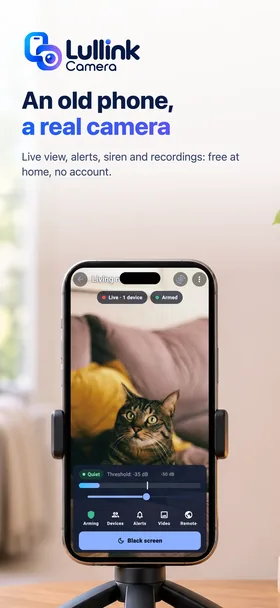
An old phone, a real camera

Put an old phone or tablet in the hallway, living room or garage, plugged in: it becomes the camera. On your phone, watch and listen live, and get alerted to movement, a sound, or if someone moves the camera.

Get it on Google Play Coming soonApp Store
  • Free at home
  • No account
  • No ads
  • Encrypted video and sound
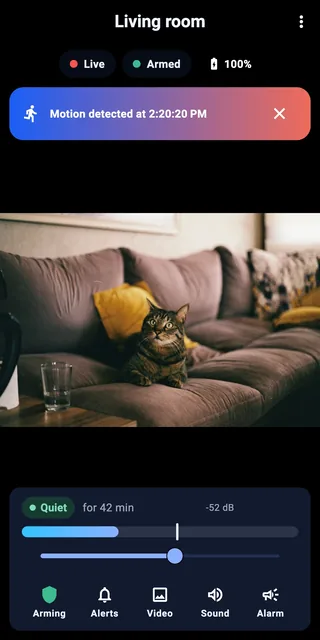
Lullink Camera on iPhone: the Living room live, camera armed, with a motion alert
  • Alert at the slightest movement
  • Siren and alarm
  • Recordings

Setup

Ready in two minutes

Nothing to buy and no wiring: an old phone or tablet, Lullink Camera and your Wi-Fi.

  • On the device you set down: Lullink Camera → Camera. A QR code appears
  • On your phone: Lullink Camera → Watch, then scan that QR code. That's it
  • Keep the camera plugged in, with Lullink Camera open on screen: the screen can stay black
  • Invite someone close by QR code or with a link sent by text message; for a neighbor while you're on vacation, access for 1 to 24 hours that ends on its own

iPhone, iPad and Android, even mixed: the camera and the phones watching it can be different brands.

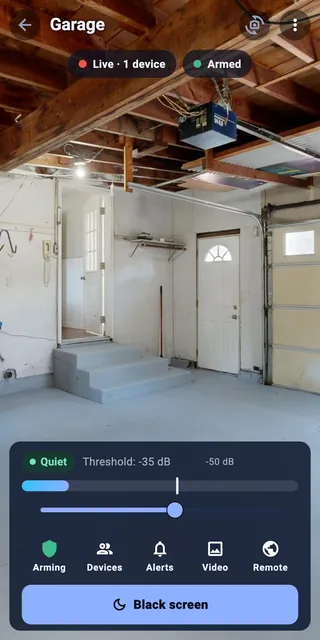
Lullink Camera on the Android phone that films: the Garage live, armed, with the Black screen button
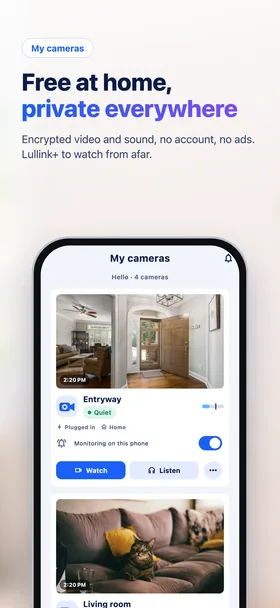
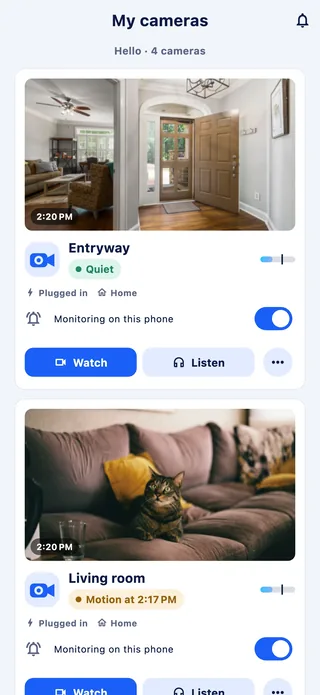
Lullink Camera on iPhone: My cameras, with the Entryway quiet and recent motion in the Living room

Alerts

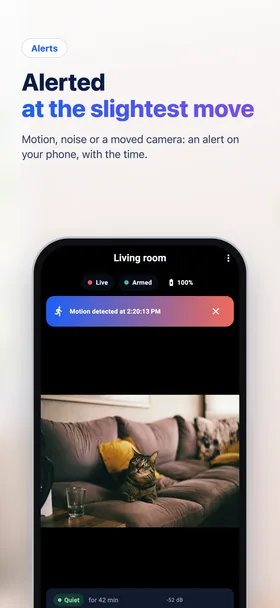
Alerted at the slightest move

An alert on your phone, with the time, as soon as something happens.

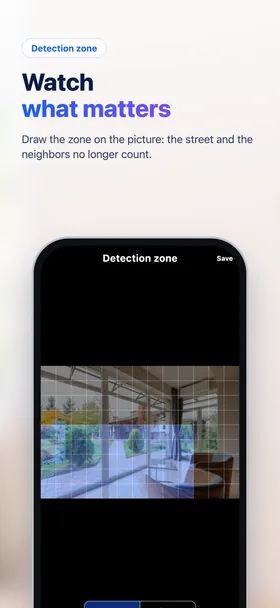
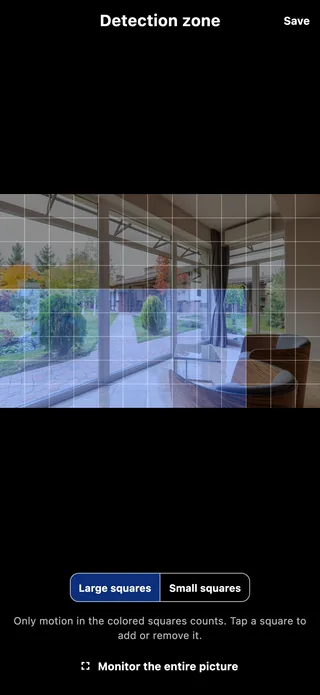
  • Motion, in a zone drawn on the picture and with the sensitivity you choose: the street and the neighbors no longer count
  • Sound, with a threshold and a microphone sensitivity for noisy rooms
  • Camera moved: the phone is picked up, pushed or turned over
  • Connection lost, camera no longer filming, battery or heat
Lullink Camera on iPhone: the watched zone drawn on the picture, in large squares
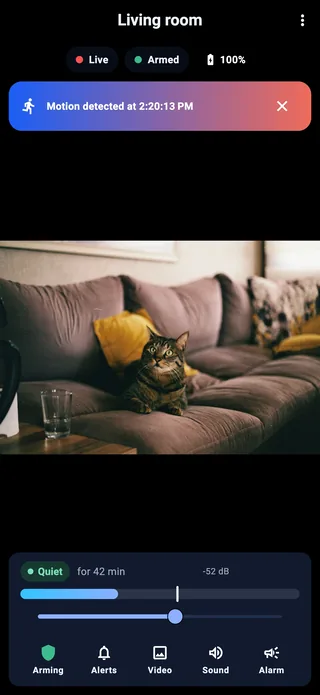
Lullink Camera on Android: the Living room live, camera armed, with a motion alert

Arming

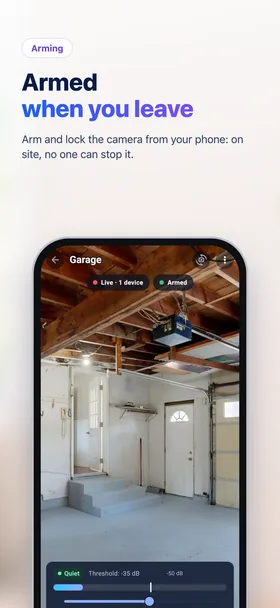
Armed when you leave

Arm the camera as you leave and disarm it when you get home, from your phone.

  • Arm it from your phone, with a delay to get out
  • The camera's screen locked remotely: on site, nobody can disarm or stop it
  • The camera always shows that it's filming: never a hidden mode
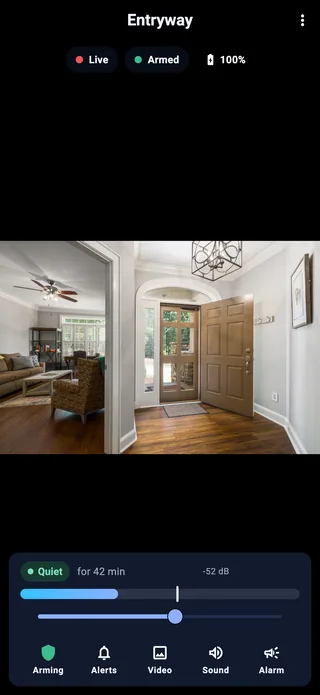
Lullink Camera on iPhone: the Entryway live, camera armed, with the sound level and the Arming, Alerts, Video, Sound and Alarm buttons

Deterrence

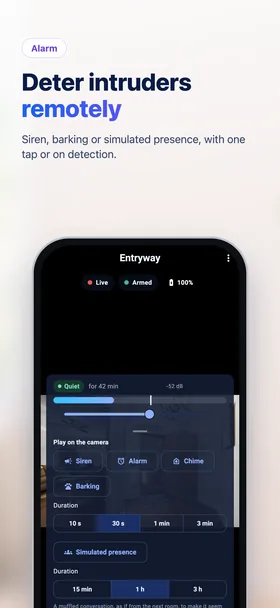
Deter intruders remotely

Make someone heard on site, with one tap or as soon as something is detected.

  • Siren, alarm, chime or barking on the camera's speaker
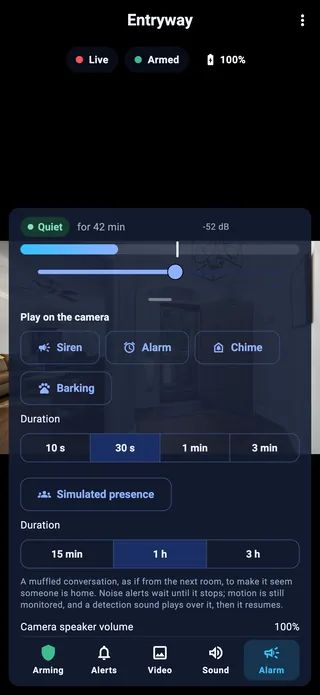
  • Simulated presence: a muffled conversation, from 15 minutes to 3 hours
  • Light: the camera phone's flashlight, steady or flashing
Lullink Camera on iPhone: play a siren, an alarm, a chime, barking or a simulated presence on the camera

Recordings

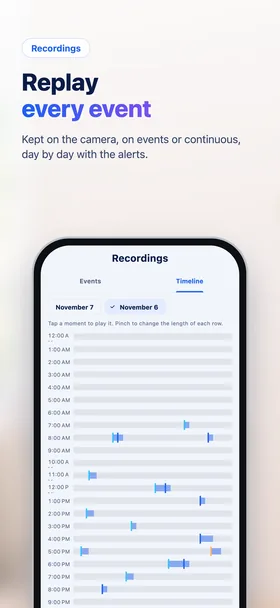
Replay every event

Like a small video recorder, on the camera itself.

  • Per event, with the seconds before and after, or continuously
  • Kept on the camera, with the size and duration you choose
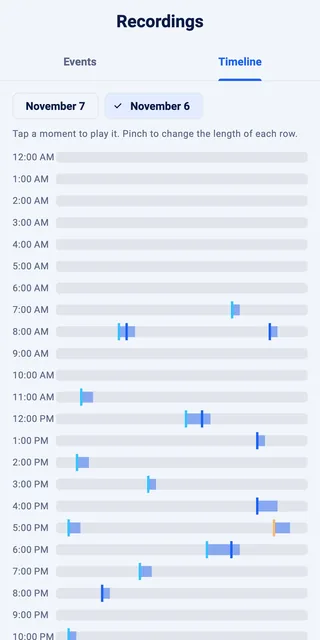
  • A 24-hour timeline for each day with the alerts: one tap plays from that moment
  • Save the ones you want to your phone; on the camera, a 6-digit code can protect them
Lullink Camera on Android: the recordings timeline for November 6, hour by hour, with the alerts

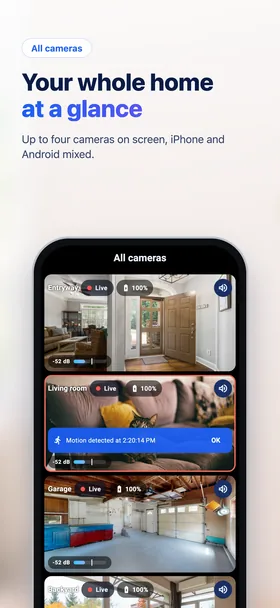
All cameras

Your whole home at a glance

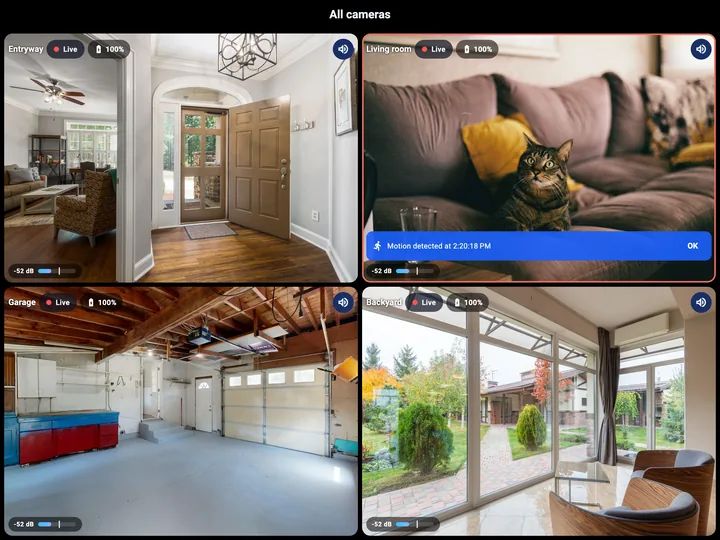
Up to four cameras on screen, iPhone and Android mixed.

  • Up to four cameras on screen, and the event log day by day
  • Quality of your choice, up to 4K for recordings on phones that film in 4K
  • Zoom, wide-angle lens when the phone has one, night vision
Lullink Camera on iPad: the Entryway, Living room, Garage and Backyard on screen, with a motion alert on the Living room

TV and watch

Your cameras on the TV

Big on Android TV, on your wrist with Apple Watch.

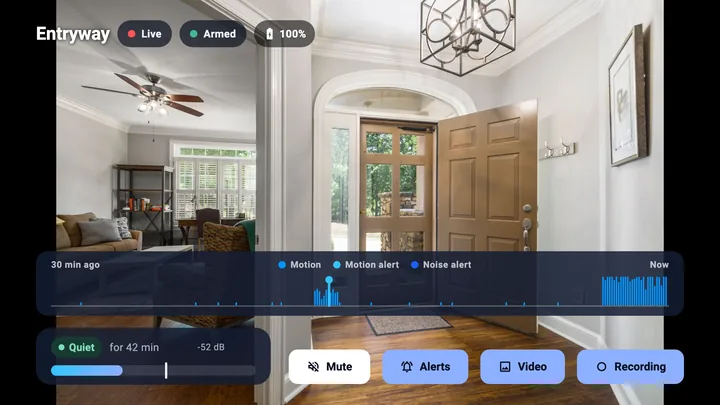
  • On Android TV: your cameras on the big screen, with alerts on screen and their settings on the remote
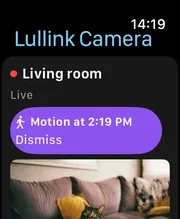
  • On Apple Watch: the status of your cameras, the alerts and a preview of the picture, on your wrist
  • Lullink Camera also watches the cameras of Lullink Baby, the baby monitor of the range

The TV and the watch are for watching: the camera is a phone or a tablet.

Lullink Camera on Android TV: the Entryway live, with the graph of the last 30 minutes
Lullink Camera on Apple Watch: the Living room live, with a motion alert

Privacy

Your pictures stay at home

We keep no pictures and no sound.

Direct at home

The picture and sound go straight from the camera to your phone, encrypted, over your Wi-Fi: no internet, no server.

End-to-end encrypted

Remotely too: our server connects your devices without seeing the picture, hearing the sound or reading the alerts.

No account

Free at home, with no account and no ads. An account is only needed to buy.

Never in secret

The camera always shows that it's filming, and nobody is added silently: every new arrival is announced to you.

Lullink Camera only measures its audience, without identifying you, on our own server in France; outside France, only with your consent. Film only your own home, not the street or the neighbors, and tell the people who work there. Read the Lullink Camera privacy policy

Download

Free at home, on all your devices

Install Lullink Camera on the device that films and on the phones that watch.

Soon

iPhone and iPad

To film or watch: iOS and iPadOS 15 or later.

Coming soonApp Store
Available

Android

Phones and tablets, to film or watch: Android 7.0 or later.

Get it on Google Play
Available

Android TV

To watch, with the remote: Android TV 7.0 or later.

Get it on Google Play
Soon

Apple Watch

With the iPhone, to keep an eye on your cameras: watchOS 10 or later.

Coming soonApp Store

Frequently asked questions

Your questions about Lullink Camera

Do I need the internet?

Not at home: the camera and your phone talk directly over your Wi-Fi. The internet is only needed to watch from afar, with Lullink+.

Is Lullink Camera free?

Yes, at home: with no time limit, no account and no ads. Only remote access, Lullink+, is paid, after a free trial.

Which device can be the camera?

An iPhone or iPad on iOS 15 or later, or an Android phone or tablet on Android 7.0 or later. An old device works very well.

Does the camera need to stay on?

Yes: keep it plugged in, with Lullink Camera open on screen. The screen can stay black so it isn't noticed.

Can I film in secret?

No: the camera always shows that it's filming. Film only your own home, not the street or the neighbors, and tell the people who work there.

Does Lullink Camera replace an alarm system?

No: it's a monitoring aid, neither a certified alarm system nor a remote monitoring service.

Give a second life to an old phone

Free at home, with no account and no ads. Picture and sound stay encrypted.

Get it on Google Play Coming soonApp Store