

Turn an old phone into a video baby monitor
An old smartphone sitting in a drawer has everything it takes to watch over your baby: a camera, a microphone and Wi-Fi. Here's how to prepare it and set it up in a few minutes.
Why it's a good idea
- Nothing to buy. The device is already at home, and Lullink is free, with no account and no ads.
- Everything it takes. A smartphone's camera and microphone, even a few years old, are more than enough to see and hear the room.
- A second life. A reused device is one less device to make.
Is your old device compatible?
Lullink runs on:
- Android phones and tablets running Android 7.0 or later, on Google Play;
- iPhone and iPad running iOS or iPadOS 15 or later, coming soon to the App Store.
The nursery device and your phone don't need to be the same brand: an old Android phone can watch over the room for your iPhone. See our guide iPhone and Android.
Prepare the device
- Check the battery. The device will stay plugged in all night. If the battery is swollen (case coming apart, screen lifting), don't use it. Lullink then monitors the camera's battery and temperature, and warns the parents.
- Connect it to your Wi-Fi, the same network as your phone. No SIM card needed.
- Slim it down. Uninstall the apps it no longer needs and turn off their notifications: it will have just one job.
- Install Lullink from Google Play, or from the App Store as soon as it's out.
Set it up in the nursery
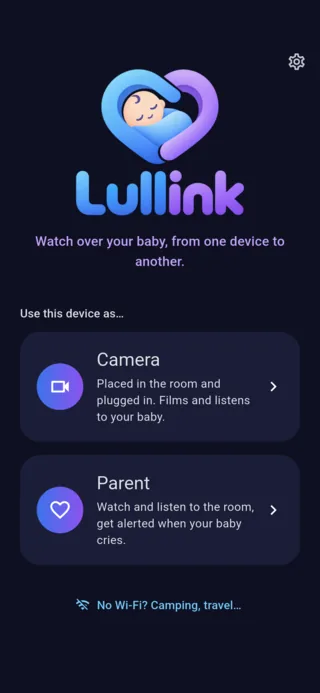
- Open Lullink, choose Camera and name the room. A QR code appears.
- Place the device at least one meter (about three feet) from the bed, on a stable surface, and keep the cable out of the child's reach.
- Frame the whole bed, avoiding a window facing the camera: backlighting darkens the picture.
- Plug it in.
- On your phone, open Lullink, choose Parent and scan the QR code. From then on, your phone finds the camera on its own.
For the night
- Black screen. As soon as a parent is connected, the camera screen goes black after 15 seconds without being touched, so it doesn't light up the room; it stays on at the lowest level so the camera keeps filming. Tap it twice to turn it back on.
- Night light. The camera screen can also become a soft night light, amber, red or lavender, with a timer, which you control from your phone.
- Night vision. When the room is dark, the picture brightens on your phone.
- Audio only. To spare the device, you can keep just the sound.
What's next?
Set up the alerts so you're warned at the right time, neither too often nor too rarely: it's all in our guide How to set up cry alerts.